How to Bring Kids Drawings to Life with AI
Learn how to bring kids drawings to life with AI: photograph the page, describe key details, choose a style and compare the result. Follow the parent’s guide.
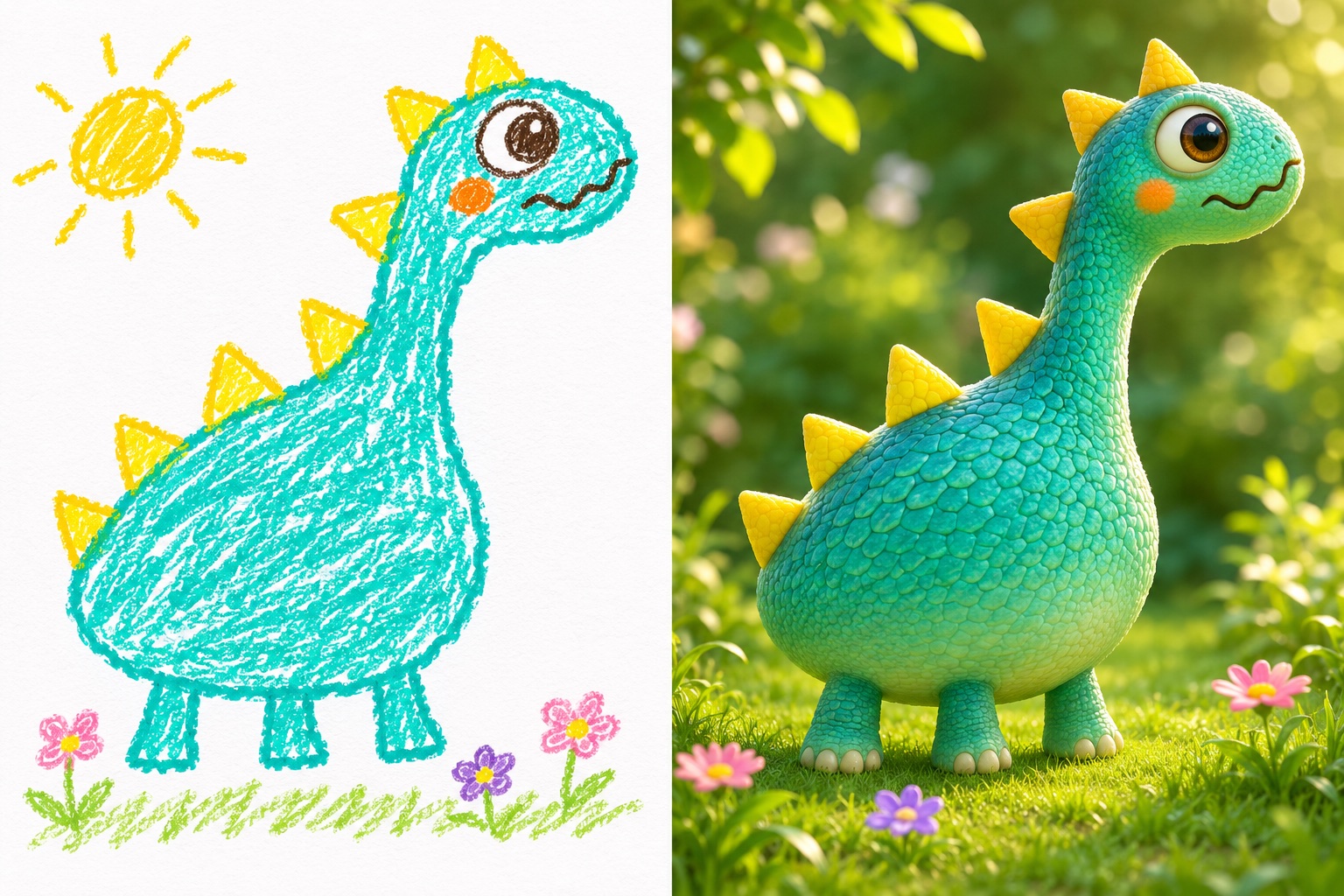
To bring a child’s drawing to life with AI, photograph the page, upload the image, choose a visual style and describe the details you want to keep. Review the credit cost, generate a version and compare it with the original before downloading. Start with the drawing studio when your photo is ready.
How should I photograph the drawing?
Lay the page flat in even light and hold your phone parallel to it. Keep the drawing in focus and crop out the table, hands, names and school details. The studio accepts JPG, PNG or WebP files up to 10MB. You can crop and rotate the uploaded image before generating.
- Photograph one clear drawing or scan the page.
- Check that the whole character or scene is visible.
- Crop unnecessary edges and personal details.
- Upload the file and check the preview.
Which style should I choose?
Choose Real world for photographic textures, 3D cartoon for rounded animated-film shapes, Plush toy for fabric and stitching, or Keep it hand-drawn to retain more of the original marks. These are directions for a new image, not physical products or downloadable 3D models. See the illustrative transformation examples before choosing.
How do I describe unusual details?
Name the character and the details that matter: “A purple dinosaur with three legs, one big eye and five yellow spikes.” A short, specific description is easier to follow than competing style instructions. The selected style already supplies the overall direction.
AI can change colors, shapes or anatomy. Preserving a detail is a goal rather than a guarantee; keep the original to compare every new version against it.
What should I check before sharing?
Compare the outline, colors, number of subjects and unusual details with the original. Download the image or save a side-by-side comparison. Your drawings start private; you choose whether to create a sharing link and can turn that link off later.
Generating another variation uses new credits. Check plans and credit packs for current charges, or read how drawing AI credits work for a mixed-use example.
Upload a drawing to begin, or follow the drawing animation tutorial when you want to add movement.